
A cloud migration needs a business reason stronger than market growth. A retailer may need temporary capacity for seasonal demand; a manufacturer may need a recoverable off-site environment; a product team may need test systems it can create and remove quickly. Each use case has a different cost and operating model.
Start with the workload: its users, data, dependencies, demand pattern, and recovery needs. Then compare cloud services with the current environment against those requirements. Moving an inefficient application unchanged can preserve its problems while adding migration costs.
The nine areas below are reasons to evaluate cloud services, not promises that every migration will deliver all nine benefits.
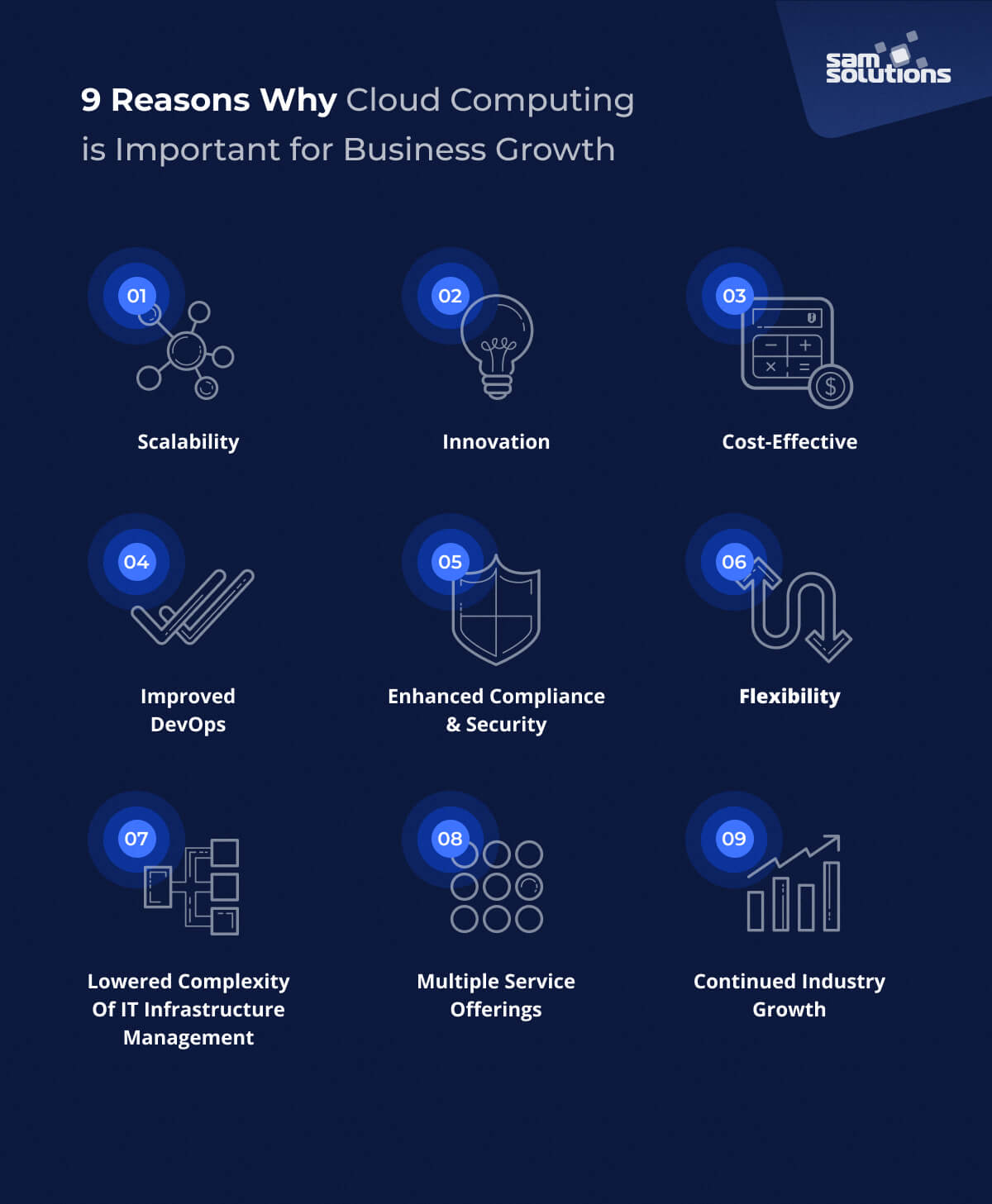
1. Scalability
Cloud capacity can be provisioned without buying and installing each new server. For a seasonal ordering service, test whether the application can add capacity before demand rises and remove it afterward. The database, external APIs, and licensing may still limit throughput.
On-premises systems can scale too, but procurement and available capacity constrain the response. Cloud services change the provisioning options; they do not make an application's bottlenecks disappear.
Define a load target, service quotas, and a cost ceiling before relying on autoscaling. Test the whole transaction path rather than only increasing the number of application servers.
2. Innovation
Temporary environments make it easier to test an idea without committing to permanent infrastructure. Give each experiment an owner, approved data, a budget, and a deletion date.
For an IoT pilot, for example, a team can trial telemetry ingestion and analysis before deciding on a production design. That experiment still needs realistic data volumes, failure tests, and a plan for device connectivity.
3. Cost-Effective
Compare costs over the same period: migration, parallel operation, compute, storage, requests, data transfer, monitoring, support, and staff time. Include the cost of keeping the current environment instead of treating it as zero.
A steady workload running continuously may have different economics from a short-lived analysis job. Measure expected usage before choosing an on-demand rate, a capacity commitment, or a managed service.
Assign an owner to budgets and alerts. Separate production from experiments, remove unused resources, and check how the bill changes under the expected growth and failure scenarios.
Treat the following as outcomes to demonstrate in a pilot, rather than savings already achieved:
- Agility
- Scalability
- Optimized DevOps
4. Improved DevOps
Repeatable environments can support a release process: infrastructure changes are reviewed, tests run against a known configuration, and deployments have a rollback path. Those practices also work on premises; cloud adoption alone does not establish them.
The ability to add new functionalities while also maintaining stability is the core reason why so many organizations have moved to a DevOps model.
Check that the team can recreate a test environment from versioned configuration. If essential steps exist only in an administrator's memory, moving the same process to a cloud console will not make it repeatable.
Evaluate release lead time alongside failed deployments and recovery. Shipping more frequently is not useful if each release creates unplanned operational work.
5. Enhanced Compliance & Security
Cloud providers offer security controls and assurance documentation, but the customer's configuration and usage remain part of the security model. For each service, assign responsibility for identity, network access, patching, encryption, logging, and recovery.
Identify which information may be stored, where it may be processed, who can access it, and which contractual or regulatory requirements apply. Check the particular service and region, not just the provider's brand.
For regulated work, obtain the evidence relevant to the proposed deployment and have the responsible compliance team review it. A provider certification does not certify every application hosted on the platform.
6. Flexibility
Cloud services provide deployment choices, not a future-proof architecture. Decide which parts of the application must remain portable and which managed dependencies offer enough value to justify their switching cost.
For a regional expansion, check service availability, data-location requirements, latency, and support coverage before copying the existing deployment.
Keep deployment configuration and data exports usable outside the original environment. An exit plan should identify what can move unchanged and which integrations would need replacement.
7. Lowered Complexity of IT Infrastructure Management
One of the common challenges faced by executives and business leaders is allocating resources to R&D of new solutions, while still being able to properly manage and secure their organization’s complex IT infrastructure.
The amount of administration transferred to a provider depends on the service model. With virtual machines, your team usually still manages the guest operating system and application. A managed platform can transfer more runtime work while leaving application configuration and data responsibilities with you.
Estimate the work that remains after migration: access reviews, cost management, backups, integration maintenance, incident response, and vendor changes. Staff capacity is released only if responsibilities really disappear or become simpler.
8. Multiple Service Offerings
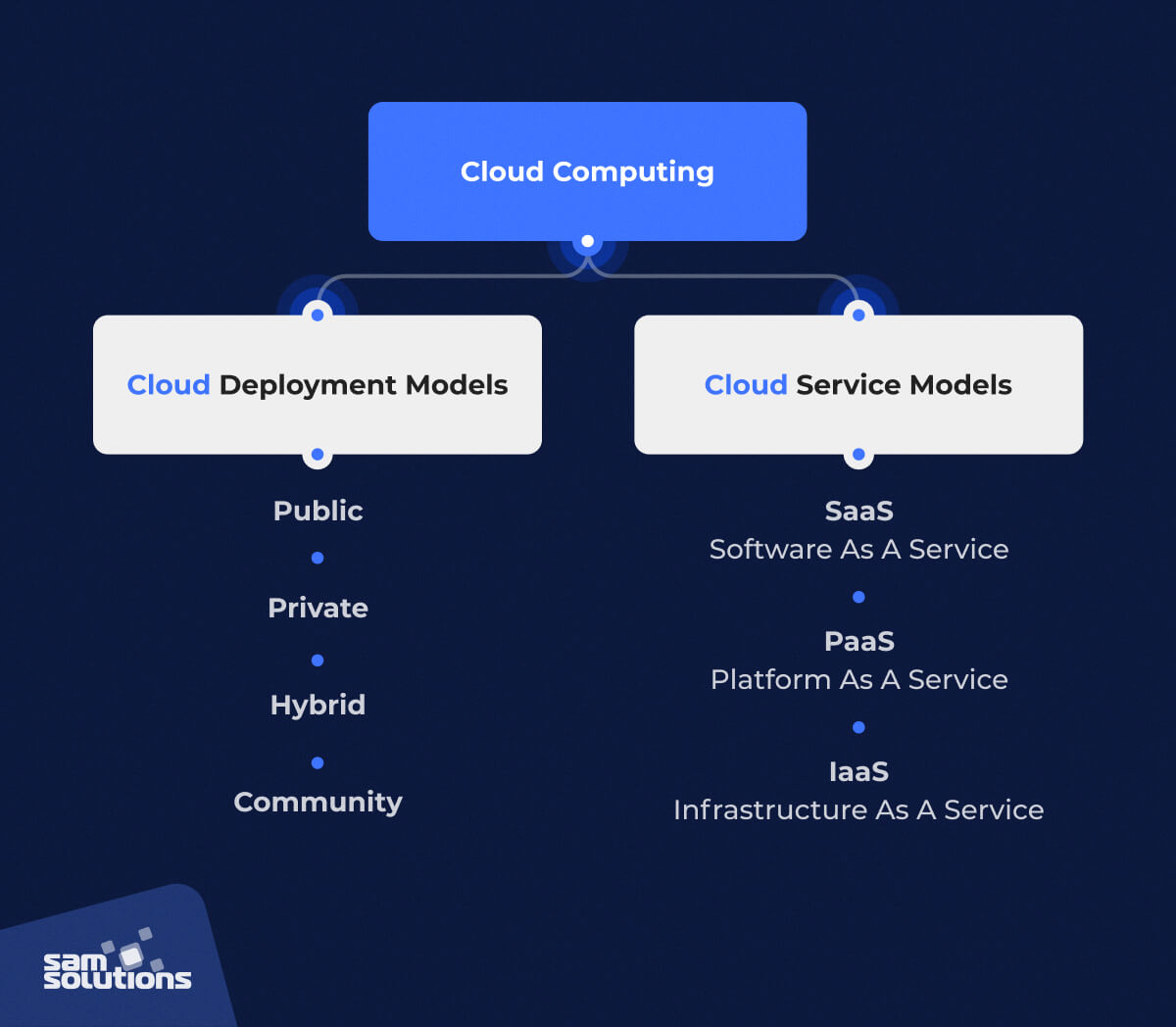
There are four main cloud deployment models: public, private, hybrid, and community. The different advantages and disadvantages of cloud deployment models should be considered early on in your cloud strategy.
Hybrid deployment can suit systems that must keep some data or equipment on site. It also creates networking, identity, monitoring, and recovery dependencies between environments. Use it for a defined requirement, not because combining platforms is automatically more flexible.
Additionally, there are three main cloud service models: SaaS, PaaS, and IaaS.
- SaaS: the provider operates the application. Your organization still manages users, configuration, data usage, and relevant integrations.
- PaaS: the provider operates more of the runtime platform while your team deploys and maintains application code. Check supported runtimes, service limits, and the recovery model.
It’s common for certain SaaS applications (e.g. CRM and SCM apps) to also have PaaS functionality – used for custom app extension development. Additionally, many cloud computing service providers offer both PaaS and IaaS functionality.
- IaaS: services such as Amazon EC2, Azure Virtual Machines, and Google Compute Engine provide infrastructure building blocks. Your team retains substantial responsibility for the operating system, network configuration, and application.
9. Service Availability and Exit Options
Long-term fit depends on the services available where you operate. Check supported regions, product lifecycle, capacity limits, and the provider's process for changing or retiring a dependency.
If a managed AI or analytics service motivates the move, trial it with approved data and representative usage. Measure its failure behavior and operating cost as well as the quality of a demonstration.
Document how data will be exported and how critical functions could continue during a service interruption. Market growth does not remove vendor dependence.
Working With Cloud Service Partners
A useful cloud assessment ends with a workload recommendation, a responsibility matrix, a cost model, and a migration sequence. It should be able to recommend retaining a workload on premises when that is the better fit.
Ask a potential partner to work through one representative workload, including a failed dependency and a restore exercise. Compare the findings with the business requirement rather than a list of available cloud products.
SaM Solutions can assess the current environment and help define a bounded migration plan. Keep ownership of access, architecture decisions, and recovery requirements explicit even when delivery is outsourced.
Author

Dmitry Koshkin
Managing Director, SaM Solutions USA


