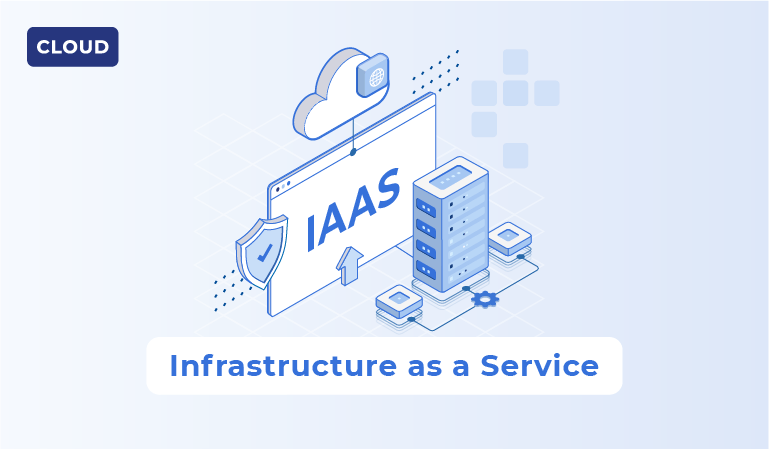
Infrastructure as a Service (IaaS) lets a team provision compute, storage, and networking without owning the underlying physical equipment. A typical use is a virtual machine running an application and its supporting services. The provider operates the physical platform; your team still has substantial work above that boundary.
Definition of IaaS (Infrastructure as a Service)
Companies use Infrastructure as a Service, otherwise referred to as IaaS, to access compute, storage, networking, and other infrastructure resources that are provided and managed by a third-party cloud vendor.
IaaS Examples
Amazon EC2
Amazon EC2 provides configurable compute instances. A team might use them to host an application that requires operating-system access or a specific runtime. Compare instance type, storage, network traffic, licensing, and operating effort before assuming it is cheaper than the existing servers.
Google Compute Engine
Google Compute Engine provides virtual machines with different resource configurations. Match CPU, memory, storage throughput, and network behavior to a measured workload instead of choosing a machine solely from its headline price.
Microsoft Azure
Azure offers numerous IaaS applications and services ranging from compute and networking products to security, storage, and high-performance computing (HPC). Businesses commonly utilize Azure for scenarios such as data storage and backup, high-performance computing, and creating the underlying infrastructure for dev and/or test environments.
IaaS Service
Users provision resources through a console, API, or infrastructure-as-code workflow. The customer controls the deployed operating system and application within the provider's service boundaries. Private and hybrid deployments can also use cloud-style provisioning; IaaS is not defined simply by access over the public internet.
On-demand provisioning is useful for variable workloads and temporary environments. It also makes it easy to create resources that keep generating charges after a task ends. Set ownership, budgets, and cleanup rules when provisioning them.
IaaS Model
The three most common computing models are SaaS, PaaS, and IaaS. The IaaS model serves as the base layer of the three, providing the underlying infrastructure and IT resources needed for organizations to create and run their own platforms as well as host and deploy applications.
Compute, storage, networking, and their management controls form the practical model. Regions and availability zones represent provider-defined deployment locations. Check their service availability and failure boundaries rather than treating every zone as equivalent to a complete disaster-recovery design.
IaaS Providers
Although there are numerous providers of IaaS tools and solutions, we’ll focus on some of the more well-known providers. Below are five of the most commonly used Infrastructure as a Service providers.
IBM
IBM Cloud offers infrastructure services including virtual servers and bare-metal options. Evaluate the services, regions, support, and integration requirements relevant to the workload rather than relying on an old market-share ranking.
Oracle
Oracle Cloud Infrastructure provides compute, storage, and networking services. For a workload with existing Oracle dependencies, inspect licensing, connectivity, operational compatibility, and exit requirements as part of the comparison.
Azure
Microsoft Azure, one of the top three global cloud vendors next to AWS and Google, launched in 2010 and features numerous IaaS product and service offerings. Organizations can use Azure for compute, storage, networking, and other infrastructure-related needs, as well as PaaS.
Google Compute Engine is a virtual-machine option within Google Cloud. Other services use different responsibility and pricing models; moving to a managed database or application platform changes what the customer must operate.
AWS
AWS infrastructure building blocks include EC2 compute, S3 object storage, and EBS block storage. These are not interchangeable storage or hosting options: select them according to access patterns, durability requirements, performance, and cost.
IaaS Solution
An IaaS solution is a specific tool/service that businesses use for infrastructure-related needs, commonly for cloud-based IT projects. An example of a publicly available high-level IaaS solution is AWS EC2, which can be used for numerous infrastructure-related needs and purposes.
For a batch-analysis workload, first measure CPU demand, memory consumption, data volume, and read/write behavior. A compute-optimized instance may suit CPU-bound processing, but large input datasets can make storage and network performance decisive. Include data-transfer costs when the source data lives elsewhere.
AWS EC2 is an example of a specific IaaS solution, but there are countless solutions on the market from a wide range of vendors, as well as private solutions built and used internally within organizations (typically at the enterprise level).
Applications and Infrastructure as a Service
Common IaaS workloads include:
- Creation of app testing and development environments;
- Providing infrastructure for cloud-native apps;
- Hosting websites, web apps, and mobile apps.
For development environments, use versioned provisioning instructions and an automatic expiry where practical. For a production web application, establish load targets, monitoring, backups, and deployment ownership. The same virtual-machine service can support both jobs, but the operating requirements differ.
IaaS Security
Although IaaS vendors are responsible for managing and securing the resources they provide to users, it is up to the users to secure everything else (e.g. data, traffic, OS, applications, etc.). Additionally, most IaaS platforms come with built-in security tools, which users have access to.
Begin with identity and access, exposed network services, guest-system patching, secrets, encryption, logging, and backup recovery. Review controls against the workload; no short list covers every deployment.
For example, a database with encrypted disks can still disclose data if its network rules and credentials permit unauthorized access. Test the permitted access paths, not only whether encryption is enabled.
Choose encryption in transit and at rest according to the data requirements, and define who controls keys and can use them. Also protect backups and exports. Encryption does not replace authorization, retention controls, or a recovery test.
Use the provider's current shared-responsibility documentation to assign work to the correct team. The OWASP authorization guidance is a separate reference for application-level access controls; the cloud platform cannot infer those business permissions.
Advantages of IaaS
Highly scalable
Capacity can be added through provisioning controls rather than a hardware purchase. Test whether the application can use the extra capacity: a single database, shared lock, or external API quota can remain the bottleneck.
Quicker time to market
A versioned environment template can reduce the time needed to prepare a test system. That benefit depends on repeatable configuration and delivery practices. Manually configuring a new virtual machine for every release can preserve much of the old delay.
Lowered costs
Model the complete bill: compute uptime, storage, snapshots, requests, network transfer, observability, licenses, and support. Compare the same workload and availability target with the current environment. Lower upfront hardware spending is not the same as a lower total operating cost.
Disadvantages of IaaS
Potential security concerns
While cloud vendors devote a large portion of their resources to securing their service offerings and products, there are always potential security concerns to be aware of. IaaS vendors are responsible for securing the provided infrastructure, but IaaS platform users are fully responsible for securing whatever they end up hosting on that infrastructure. Potential security concerns include the following:
- Data leaks
- Compromised accounts
- Hacking of APIs and infrastructure
- Loss of data
Test a restore, revoke an unused account, and check an unexpectedly public endpoint before declaring the deployment ready. Record who monitors alerts and who can make an emergency configuration change.
Vendor lock and lack of control
Read enough blogs about cloud computing and you will inevitably come across the term “vendor lock.” This is the term used to describe the scenario of a business getting “locked” into using one specific vendor, either because the actual process of moving from one to the other is not financially feasible, or the technological challenge of switching vendors isn’t worth the return (and amount of work involved).
Other constraints to evaluate include:
- Potential to be highly complex (particularly in regards to integrations)
- Lack of realistic cost expectations (cloud deployments can often be costly)
- Service interruptions and dependency failures: design and test the application's recovery against the required business outcome.
- Lack of in-house expertise (this is where a third-party service provider excels)
Conclusion
Use IaaS when infrastructure-level control solves a real requirement and the team can operate what it deploys. Consider a managed platform when operating-system access is not needed and transferring runtime work is more valuable.
Before moving a workload, produce a resource estimate, responsibility matrix, access model, and recovery plan. If using a partner, confirm which activities remain with your organization.
Provision a representative environment and measure it under normal demand and a failure scenario. That exercise is a more useful basis for the decision than a forecast about the size of the cloud market.